Secure Signer Access with 2FA & Passkeys

Protect every agreement with vScrawl’s two-factor authentication and passkey system. Ensure only authorized signers can access and complete documents, keeping your workflows secure and your sensitive information safe.

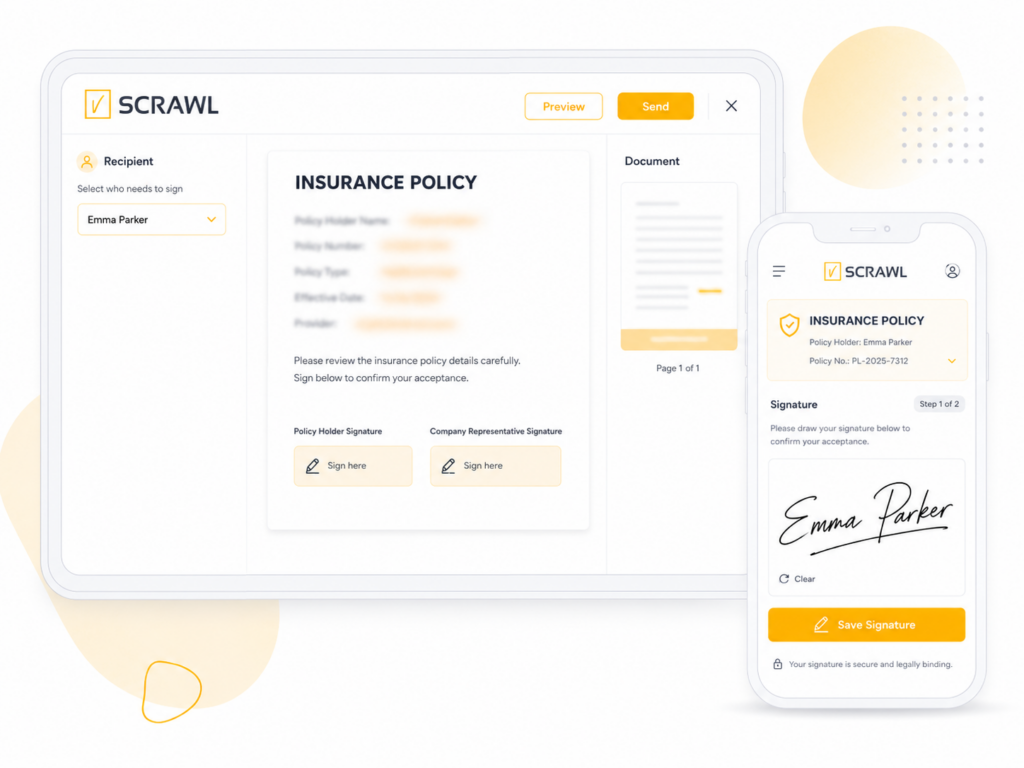
Signer authentication in vScrawl

Advanced Signer Authentication for Maximum Security

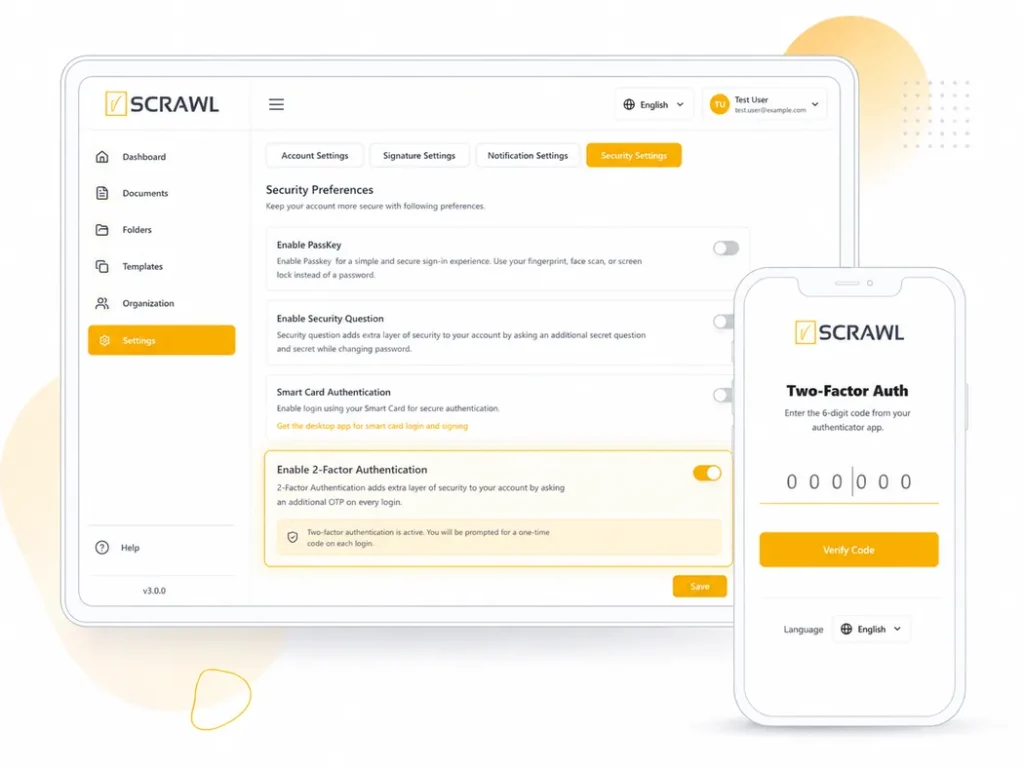
vScrawl adds an extra layer of protection with 2FA and passkeys, ensuring that only authorized signers can access and complete documents securely.

Prevent Unauthorized Access

Two-factor authentication ensures that only intended signers can access and complete documents.

Build Confidence in Every Agreement

Passkeys and secure authentication add trust for all parties, making every transaction more reliable and protected.
Meet Security Standards

Comply with best practices for data protection and access control without relying on ID verification.
Send Documents to Multiple Signers in Minutes

Turn repetitive documents into ready-to-use templates, making approvals faster, smoother, and error-free.

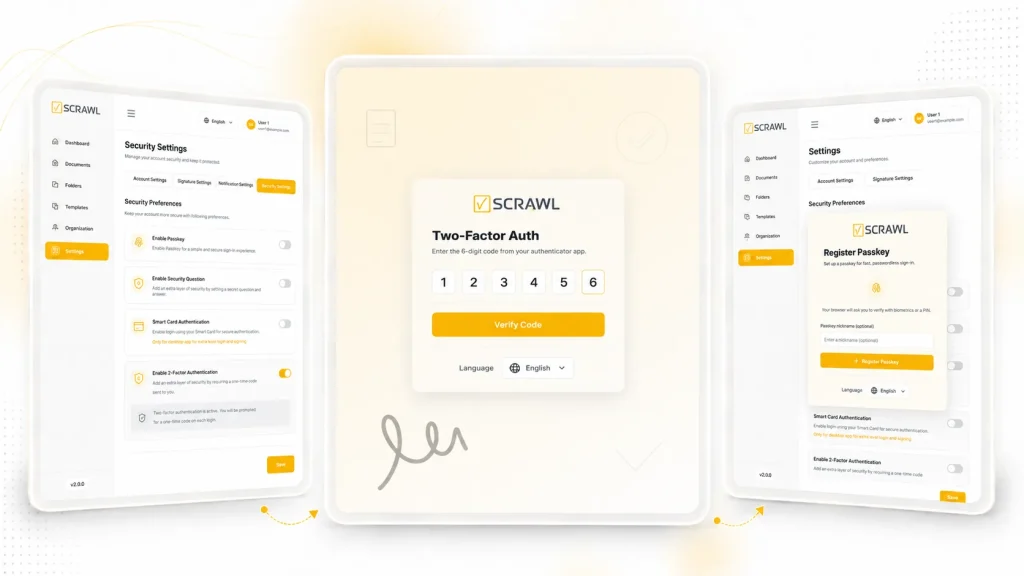
Two-Factor Authentication

Add extra security with one-time verification for every document access and signer authentication.

Passkey Login Access

Enable fast, passwordless sign-in with secure passkeys for quick access and enhanced data protection.

Secure Document Access

Help ensure that only verified signers can open and complete documents, reducing the risk of unauthorized access and protecting sensitive information throughout the workflow.

2fa authentication illustration
Passkey authentication illustration
Secure document illustration

Frequently Asked Questions about Signer Authentication

What is Two-Factor Authentication in vScrawl?

Two-Factor Authentication (2FA) adds an extra verification step when accessing a document, requiring a one-time code to ensure only authorized signers can open and sign it.

How do passkeys work in vScrawl?

Passkeys allow signers to log in securely without passwords. They use cryptographic keys stored on the user’s device, ensuring fast, passwordless, and safe access.

Can I change the authentication method for my documents?

Yes, vScrawl lets you enable or disable 2FA and passkey authentication for each document, giving flexibility while maintaining security.

What happens if a signer fails verification?

If a signer cannot verify their identity via 2FA or passkey, access is denied, preventing unauthorized document completion.

Is vScrawl’s authentication compliant with security standards?

Yes, vScrawl’s authentication methods follow modern security best practices, protecting sensitive documents and ensuring authorized access only.

Which method should I choose?

Match the check to the risk of the transaction. Two-factor authentication adds a one-time code. Passkeys give fast, passwordless access with cryptographic keys stored on the signer’s device. You can turn on one or both.

Does signer authentication make my signature an advanced electronic signature (AES)?

Not by itself. Under the EU eIDAS Regulation, an AES must meet four requirements. Whether a vScrawl workflow meets all of them depends on its full configuration. Higher assurance is not needed for every document. See our eIDAS overview.

Can I require multi-factor authentication across my organization?

Yes, on the Enterprise plan. Admins can set multi-factor authentication and access rules for users across the whole organization. This is separate from the checks you set for each signer.

Related: Document Management | Enterprise E-Signature Platform | E-Signature for Legal

Guide: Are electronic signatures legal? E-signature laws by country

How It Works

You choose the check for each document. vScrawl enforces it.

1. Prepare the document. Upload the document and add your signers.

2. Choose the check. Turn on two-factor authentication, passkeys or both for that document.

3. Signer verifies. Each signer enters a one-time code or uses a passkey before the document opens.

4. Access is controlled. If verification fails, access is denied. Authentication events can be recorded in the document’s audit trail.

Because the setting is per document, you can use stronger checks only where the risk calls for it. These checks do not rely on ID document verification.

Use Cases

Turn on signer authentication for documents where the wrong person signing would cause harm:

Banking. Protect loan, account and mortgage documents.

Healthcare. Make sure the right patient opens a consent form.

Legal. Secure NDAs, engagement letters and client agreements.

HR. Protect offer letters and employee records.

Insurance. Confirm the claimant before a claim form is signed.

High-value contracts. Add an extra step where the stakes are high.

Secure Every Document with vScrawl Today

Enable Two-Factor Authentication and passkey verification to protect your agreements and ensure only authorized signers can access documents. Start securing your workflow now with vScrawl.